
Choosing the right IPTV player for your Android device is key. With so many options, picking a top IPTV player for Android that works with all formats can be tough.
You want a player that can handle different file types smoothly. Using a strong IPTV service like HOXTOON can improve your viewing. It offers a wide range of channels and VOD content in the USA.
For the best IPTV experience, try the OTT Play app. It’s on the Google Play Store. It supports many playlists, EPG, and more.
Key Takeaways
- Choose an IPTV player that supports multiple formats for a seamless viewing experience.
- HOXTOON is a premier IPTV provider in the USA, offering an extensive channel lineup and VOD content.
- OTT Play is a highly-rated IPTV player available on the Google Play Store.
- Consider an IPTV player with features like EPG, catch-up support, and Chromecast support.
- Ensure the IPTV player is compatible with your Android device.
What Makes a Great IPTV Player for Android
The IPTV world is changing fast. Finding the best IPTV player for Android is crucial. It’s important to know what makes a player stand out.
The Evolution of IPTV Technology
IPTV has grown a lot since it started. It’s now a big part of how we watch TV. New IPTV tech means better streaming, more channels, and easier use.
This tech change has brought better IPTV players. These players can handle different formats and protocols. This makes it easy to watch your favorite shows on Android devices.
Why Your Choice of Player Matters
Choosing the right IPTV player is key to a good viewing experience. A great player should play smoothly, support many formats, and be easy to use. It should also work well with multiple devices.
With services like HOXTOON supporting over six devices, your player needs to handle this. The right player means no buffering and access to lots of channels and content.
Essential Format Support for Seamless IPTV Experience
Choosing the right Android player is key for a smooth IPTV experience. It should handle many formats and protocols. This variety affects your streaming quality.
Video Formats and Codecs Explained
Video and audio formats are crucial for IPTV streaming. Formats like MP4, AVI, MKV, and TS are common. A good IPTV player supports these to stream content smoothly.
Codecs like H.264, H.265 (HEVC), and VP9 are used a lot in IPTV. They help decode video streams well, making playback quality high.
Audio Format Compatibility
Audio format support is as important as video. IPTV players should handle formats like MP3, AAC, AC-3, and DTS. This ensures great audio quality with your video.
Streaming Protocols You Need Support For
Streaming protocols are essential for IPTV services. Key ones include HTTP, HTTPS, UDP, RTP, and RTSP. A good IPTV player supports these for stable, secure streaming.
| Protocol | Description | Usage |
|---|---|---|
| HTTP/HTTPS | Hypertext Transfer Protocol/Secure | Used for most IPTV streaming, providing a secure connection. |
| UDP | User Datagram Protocol | Preferred for real-time streaming due to its low latency. |
| RTP | Real-time Transport Protocol | Used for transmitting real-time data, such as IPTV streams. |
| RTSP | Real-Time Streaming Protocol | Controls streaming media servers, allowing for playback control. |
When picking the best IPTV player for your Android box or device, look for wide format and protocol support. This ensures a smooth, enjoyable IPTV experience.
Android TV vs. Mobile Android: Platform Differences
It’s important to know the differences between Android TV and mobile Android for the best IPTV experience. Both use the Android system but serve different needs. This affects how you watch IPTV content.
Optimized Interfaces for Different Screen Sizes
Android TV and mobile Android have different interfaces for screen sizes. Android TV is made for the living room, with an interface for easy use from a distance. Mobile devices, like phones and tablets, offer a personal touch with their screens.
When picking an IPTV player for Android, think about your device. An IPTV app for Android TV needs a simple interface for remote control use. A mobile app should work well with touch and smaller screens.
- For Android TV, look for IPTV players with clean, simple interfaces and support for navigation via remote control.
- For mobile Android devices, consider IPTV players that offer responsive touch controls and the ability to adapt to different screen sizes.
Performance Considerations Across Devices
Performance also differs between Android TV and mobile devices. Android TV devices are more powerful for tasks like high-definition video. Mobile devices can vary in performance based on their hardware.
When choosing an IPTV player, consider your device’s specs. For more info on picking the right IPTV player, visit this page for top picks on IPTV players for smart TVs.
Key Features That Define the Best Player for IPTV Android
When looking for the best IPTV player for Android, some key features stand out. These features make it easier to find and watch your favorite shows. They also help you get the most out of your IPTV subscription.
User Interface and Navigation Experience
A good user interface is essential for a great IPTV experience. Look for players with an easy-to-use layout. They should have simple channel switching and clear content categories. This makes finding your favorite shows quicker.
EPG Integration and Channel Management
Electronic Program Guide (EPG) integration is crucial for managing your IPTV channels. It shows you what’s coming up, helping you plan your viewing. Make sure the player supports EPG and makes channel management easy.
Playlist Handling and Organization
Being able to handle playlists is important. A good player lets you make custom playlists and sort channels. It should also let you import and export playlists for your convenience.
Customization Options
Customization is key for a personalized experience. Look for players that let you change the UI and adjust playback settings. For example, HOXTOON offers affordable plans starting at $9.99/month. This makes it a great choice for those who want flexibility and value.
| Feature | Description | Importance |
|---|---|---|
| User Interface | Intuitive and easy to navigate | High |
| EPG Integration | Electronic Program Guide for channel management | High |
| Playlist Handling | Ability to create and manage custom playlists | Medium |
| Customization | Options to personalize UI and playback settings | Medium |
By focusing on these features, you can find a free IPTV player for Android that meets your needs. Or, you might decide a premium service like HOXTOON is the best choice for you.
TiviMate: Premium Experience for Android TV
For Android TV users looking for a top-notch IPTV experience, TiviMate is a great choice. It’s one of the top IPTV players for Android. It offers a sophisticated viewing experience with its robust features and compatibility.
TiviMate has an intuitive user interface and supports a wide range of video and audio formats. This means users can enjoy their content without worrying about compatibility issues. It also has advanced EPG (Electronic Program Guide) integration. This makes it easy to navigate through channels and plan your viewing schedule.
Standout Features and Format Support
TiviMate’s format support is a key strength. It works with various streaming protocols, including those for IPTV services. This ensures a smooth and buffer-free viewing experience. For users looking for a reliable IPTV player on Android TV, TiviMate’s broad format support is a big plus.
Also, TiviMate offers customization options that enhance the user experience. Users can personalize the interface and settings to suit their preferences. This makes it a versatile choice for different viewing needs.
Device Compatibility and Performance
TiviMate is optimized for Android TV, providing a seamless experience on various devices. Its performance is consistent across different hardware configurations. This ensures that users can enjoy high-quality streaming without significant lag or buffering. For those considering 4K live IPTV services, TiviMate’s performance capabilities make it an excellent choice.
In conclusion, TiviMate is a premium IPTV player that offers Android TV users a high-quality viewing experience. Its combination of robust features, broad format support, and consistent performance makes it a top recommendation for IPTV enthusiasts.
IPTV Smarters Pro: Versatile Option for Multiple Android Devices
IPTV Smarters Pro is a flexible IPTV player for many Android devices. It works well on Android TV and mobile devices, offering a smooth viewing experience. Its flexibility makes it a favorite among IPTV users.
Mobile and TV Interface Comparison
IPTV Smarters Pro changes its look based on the device. On mobiles, it has a simple interface for small screens. This makes it easy to find and watch your IPTV channels and playlists.
On Android TV, the app uses the big screen to its fullest. You get a more immersive experience. You can easily switch between profiles, ensuring the best viewing experience.
To learn more about IPTV Smarters Pro and its features, visit the official IPTV Smarters Pro subscription page.
Format Support and Streaming Quality
IPTV Smarters Pro supports many formats, letting you stream a wide variety of content. It handles different video and audio formats, ensuring top-quality streaming.
The app also works with various streaming protocols. This means you get a stable and buffer-free viewing experience. Whether it’s live TV or on-demand content, IPTV Smarters Pro handles it well.
The app focuses on streaming quality, so you can enjoy your favorite channels without lag or buffering. This is key for live events, where delays can ruin the experience. With IPTV Smarters Pro, you get a smooth stream, making it a top choice for IPTV players for Android TV.
Perfect Player: Lightweight Solution with Broad Format Support
Perfect Player is a top choice for a lightweight IPTV player on Android. It has many features that meet the needs of IPTV fans. And it does so without slowing down your device.
Codec Compatibility Analysis
Perfect Player stands out for its wide codec support. It can play many audio and video formats. This means you can watch your favorite shows without worrying about format problems.
Here’s a quick look at what codecs Perfect Player supports:
| Codec Type | Supported Formats |
|---|---|
| Video Codecs | H.264, H.265, MPEG-4, and more |
| Audio Codecs | AAC, AC-3, DTS, MP3, and more |
Performance on Lower-End Android Devices
Perfect Player is made to be light, perfect for older Android devices. It uses less power than other players. This makes it great for devices that aren’t the latest models.
Looking for more IPTV player info? Check out Smart IPTV Hub for a detailed guide. For top IPTV services, HOXTOON is a top pick.
GSE Smart IPTV: Feature-Rich Multi-Format Player
GSE Smart IPTV is packed with features for IPTV streaming on Android devices. It supports many formats for a smooth viewing experience.
Advanced Playback Options
GSE Smart IPTV shines with its advanced playback options. It has timeshifting for pausing and rewinding live TV. It also lets you adjust the aspect ratio for the perfect fit on your screen.
It supports different playback speeds for watching content at your pace. Plus, it has a parental control feature. This lets you block certain channels or content based on ratings or other criteria.
| Feature | Description | Benefit |
|---|---|---|
| Timeshifting | Pause and rewind live TV | Control over live streaming |
| Aspect Ratio Adjustment | Adjust video to fit screen | Optimal viewing experience |
| Playback Speed Control | Watch content at preferred speed | Personalized viewing experience |
Cross-Device Synchronization
GSE Smart IPTV is great for switching between devices without losing your spot. It’s perfect for those who use IPTV on multiple devices, like a smartphone and an Android TV.
This is made possible by cloud connectivity. It keeps your preferences, watch history, and other data up-to-date on all devices. This makes watching IPTV more convenient and continuous.
Kodi with IPTV Add-ons: Ultimate Customization
Kodi with IPTV add-ons is a top pick for those who want to customize their IPTV experience. Kodi is a versatile media player. It can be greatly improved with IPTV add-ons, making it perfect for users who want a tailored experience.
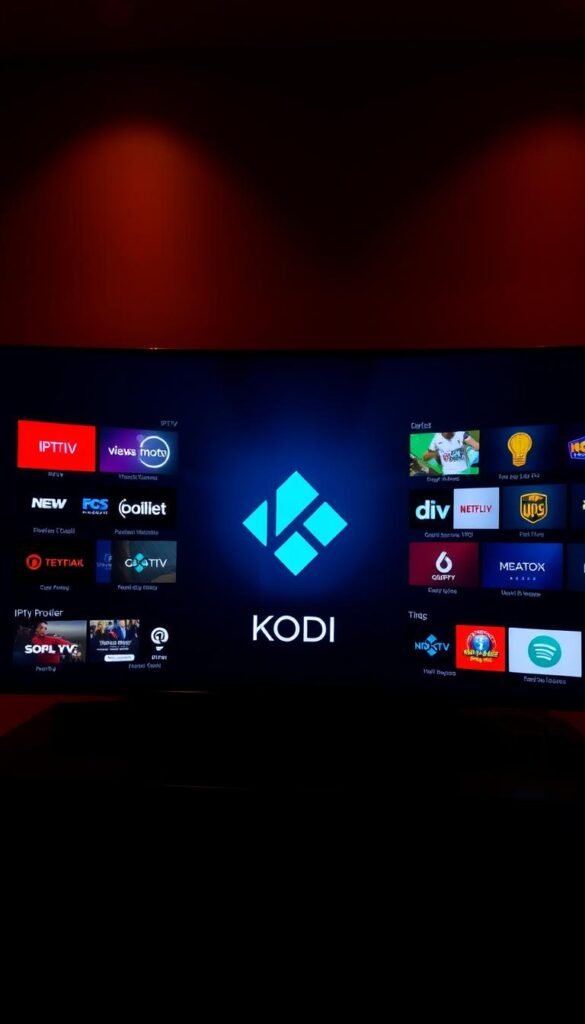
Kodi’s customization is one of its best features. By adding different IPTV add-ons, you can boost your IPTV capabilities. This lets you access more channels and streaming services. Kodi is great for those who want more control over their IPTV setup.
Format Support Through Add-ons
Kodi’s format support gets a big boost from IPTV add-ons. These add-ons support various streaming protocols and codecs. This means you can play a wide range of IPTV content. Some key benefits include:
- Expanded codec support for playing different video and audio formats
- Compatibility with various streaming protocols for improved connectivity
- Access to a broader range of IPTV channels and services
Performance Optimization Tips
To get the most out of Kodi with IPTV add-ons, optimizing performance is key. Here are some tips to improve your viewing experience:
- Regularly update your Kodi installation and IPTV add-ons for the latest features and bug fixes.
- Configure your Kodi settings to optimize for your device and network conditions.
- Use a reliable and fast internet connection to reduce buffering and improve stream quality.
By following these tips and using Kodi and IPTV add-ons, you can create a personalized and efficient IPTV experience on your Android device.
VLC Media Player for Android: Open-Source Versatility
VLC Media Player is a top choice for a free IPTV player on Android. It’s known for its open-source nature and versatility. This media player is popular on many platforms, including Android devices, for its strong IPTV streaming capabilities.
VLC Media Player for Android supports a wide range of media formats. This makes it perfect for users who need a player for different codecs and file types. It can play various video and audio formats without needing extra software.
Comprehensive Codec Support
VLC Media Player is known for its comprehensive codec support. It can handle many video and audio codecs. This means you can play your IPTV streams without worrying about compatibility issues. It supports popular codecs like H.264 and H.265, covering a wide range of streaming formats.
IPTV-Specific Configuration
Setting up VLC for IPTV is easy. You can add your IPTV playlist and start streaming your favorite channels. VLC also lets you customize the player to fit your needs. You can adjust the aspect ratio and audio settings for a better viewing experience.
In summary, VLC Media Player for Android is a versatile and reliable choice for IPTV streaming. It offers a free solution with extensive format support and customization options.
HOXTOON: The Premier IPTV Provider in the USA
HOXTOON is a top choice for IPTV in the USA. It offers a great viewing experience. With a strong setup and focus on quality, HOXTOON is changing the game in IPTV.
Unmatched Content Library
HOXTOON has a huge library of content for all tastes. This includes:
21,000+ Live Channels Across Categories
HOXTOON has over 21,000 live channels. You can find sports, news, entertainment, and more. There’s something for everyone in your home.
150,000+ VODs for On-Demand Entertainment
HOXTOON also has over 150,000 VODs. You can watch your favorite movies and TV shows whenever you want.
Multi-Device Support for Your Entire Household
HOXTOON knows everyone uses different devices. It supports many devices, like Android TVs, smartphones, and tablets. This way, everyone in your home can enjoy their favorite shows.
Competitive Pricing Plans
HOXTOON’s prices are fair and affordable. This makes high-quality IPTV services available to many. The plans include:
Monthly and Quarterly Options
HOXTOON offers both monthly and quarterly plans. You can pick what fits your viewing habits and budget best.
Long-Term Subscription Value
For those who stick with IPTV, HOXTOON has long-term plans. These plans are a cost-effective way to keep enjoying entertainment.
| Subscription Plan | Price | Features |
|---|---|---|
| Monthly | $9.99 | Access to 21,000+ live channels and 150,000+ VODs |
| Quarterly | $29.97 | Same as monthly, with a discounted rate for a 3-month commitment |
| Annual | $99.99 | Same as quarterly, with additional benefits for a 12-month commitment |
HOXTOON offers a wide range of content, supports many devices, and has competitive prices. It’s a top choice for live TV, on-demand movies, and flexible plans.
Optimizing Your IPTV Player for Buffer-Free Streaming
Getting buffer-free streaming is easier with the right IPTV player settings. A well-set IPTV player boosts your viewing experience. It also makes sure you get the best from your IPTV service, on Android TV or tablet.
Network Configuration Best Practices
A fast and stable network is key for smooth IPTV streaming. First, check your internet speed to see if it meets your IPTV service’s needs. For HD content, a 5 Mbps speed is usually enough, but it can vary.
Use a wired Ethernet connection for your Android TV for a better connection. If Wi-Fi is your only choice, place your router in the middle of your home. Make sure it can handle IPTV streaming demands. You might also need to adjust your router’s Quality of Service (QoS) settings to prioritize IPTV traffic.
Player-Specific Performance Settings
Different IPTV players have settings to improve performance. For example, TiviMate and IPTV Smarters Pro let you adjust buffer sizes. This can greatly affect streaming stability. Try different settings to find what works best for your network.
Some players, like GSE Smart IPTV, have advanced settings. These let you tweak playback options, including codec settings and stream quality. Adjusting these can help solve issues like freezing or poor video quality, making your viewing experience smoother on Android devices.
Troubleshooting Format and Playback Issues
IPTV playback problems on Android devices can come from many sources. This includes format compatibility and network issues. When using an iptv app for android tv, you might face issues that ruin your viewing. It’s important to know what causes these problems to fix them.
Common Codec and Format Errors
Codec and format compatibility is a big issue with IPTV playback. Different IPTV players support different formats. If your player doesn’t support your stream’s format, you’ll get playback errors. To solve this, check if your IPTV player supports your stream’s format.
Players like VLC are great because they support many codecs. They’re a good choice if you’re having trouble.
Connection and Stream Quality Problems
Stream quality and network connection are key to IPTV playback. A slow or unstable internet can cause buffering, lag, or streams not loading. Make sure your internet speed is good enough for your IPTV service.
Also, check if your network settings are causing stream quality problems.
EPG and Metadata Challenges
EPG data and metadata issues can also trouble your IPTV experience. If EPG isn’t loading right, it might be server or player settings issues. Check your player’s settings to make sure it’s set up to get EPG data right.
Switching to a different EPG source or updating your player might fix these problems.
By tackling these common issues, you can greatly improve your IPTV experience on Android devices. Whether you’re using an Android TV or a mobile device, fixing these problems can ensure you enjoy uninterrupted service.
Comparing IPTV Players: Which Works Best with HOXTOON
Choosing the best IPTV player for Android can be tricky. But, when it comes to HOXTOON, some players are better than others. It’s important to look at how easy they are to set up and how well they work.
Setup Process with Different Players
Setting up an IPTV player with HOXTOON is simple. But, some players are easier to use than others. For example, TiviMate has a user-friendly interface that makes setup a breeze. On the other hand, IPTV Smarters Pro has a more complex setup but offers advanced features.
You can find more information and setup guides on our related article: Best IPTV Player for Firestick.
The setup process usually includes downloading and installing the app, configuring settings, and entering your subscription details. Some players, like GSE Smart IPTV, also offer features like playlist management and EPG integration. These can improve your IPTV experience.
Performance and Feature Compatibility
Players like Perfect Player and VLC Media Player for Android are known for their performance. They can handle different IPTV formats and protocols well. It’s important to compare their features and performance to find the best one for HOXTOON.
| IPTV Player | Setup Ease | Format Support | Performance |
|---|---|---|---|
| TiviMate | Easy | Multiple Formats | High |
| IPTV Smarters Pro | Moderate | Multiple Formats | High |
| Perfect Player | Moderate | Broad Format Support | High |
| VLC Media Player | Easy | Comprehensive Codec Support | High |
By looking at the setup process and performance of different IPTV players, you can pick the best one for your needs. This will enhance your HOXTOON IPTV experience.
Legal and Security Considerations for IPTV Users
IPTV users need to know about legal and security issues for a safe watch. It’s key to understand these points for a smooth entertainment time.
Choosing Legitimate IPTV Services
It’s vital to pick a real IPTV service. HOXTOON is a good example. They have lots of channels and follow the law. Here’s how to pick a good IPTV service:
- Look up the provider’s reputation and what others say.
- Make sure they follow copyright laws.
- They should be clear about prices and how you subscribe.
Protecting Your Privacy While Streaming
Keeping your privacy safe while streaming is very important. Here’s how to do it:
- Use a VPN to hide your internet activity.
- Choose IPTV services that care about your privacy.
- Keep your device’s software and security up to date.
By paying attention to these legal and security tips, you can have a safe and fun IPTV time.
Conclusion: Selecting the Ideal IPTV Player for Your Android Device
Choosing the right IPTV player for Android is key for a smooth streaming experience. There are many options, so think about format support, user interface, and device compatibility. Services like HOXTOON, SOLID IPTV, IPTVVUK, G-IPTV, and IPTVIPTV have lots of channels and high-quality streams. The right player is essential for your IPTV setup.
When picking an android iptv player apk, look for support for 4K Ultra HD, Full HD, and High Definition. TiviMate, IPTV Smarters Pro, and GSE Smart IPTV are good choices because they support many formats and are easy to use. Make sure the player works well with your Android device, like a phone, tablet, or Android TV.
By considering these points and picking a trusted IPTV service, you’ll get a great IPTV experience on your Android device. Check out the options, try their features, and pick the best player for your needs. This way, you’ll enjoy your IPTV streaming to the fullest.



